
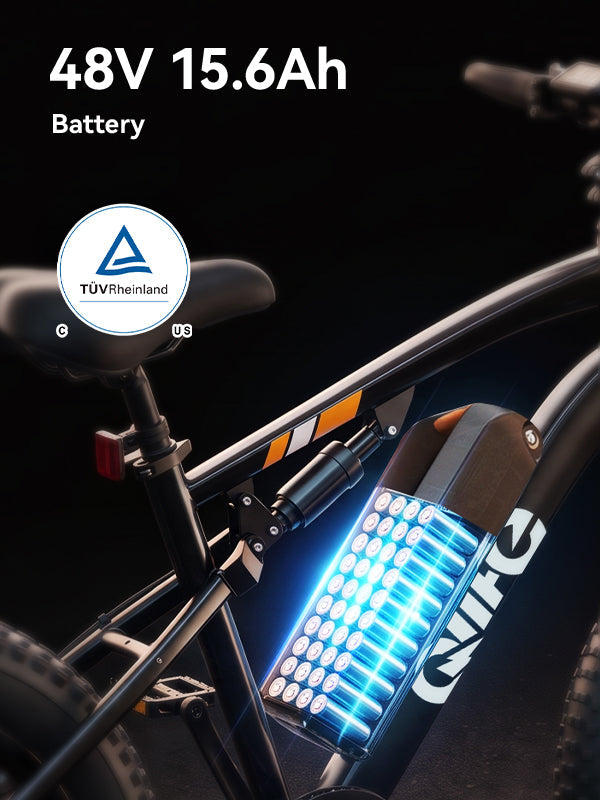
A Qlife replacement battery, controller, or display should be matched to the exact bike and hardware version before you order it. A similar plug or product photo is not a fitment decision. Start with the bike label, the label on the existing part if it can be read safely, your purchase details, and a description of the problem. Then ask Qlife to confirm the specific replacement and the appropriate purchase or warranty route.

Identify the bike before naming the part
Write down the complete model name and any version or revision shown on the bike. Compare it with your order and the Qlife manual library. If these do not agree, send photos to support rather than guessing from the family name. One Spark is not every Spark, and a bike that looks identical in a product photo may have a different component revision.
Describe what happened before you diagnose it. "The display goes dark after I turn the bike on" tells support more than "I need a controller." Note when the symptom appeared, whether it repeats, any message visible on the display, and any unusual noise, smell, heat, or physical damage. Photos of labels and the externally visible connector area can help, but do not unplug damaged wiring or open a battery or controller just to take a better picture.
Stop using and charging the bike if a battery or charger is unusually hot, swollen, leaking, smoking, or giving off an unusual odor. Do not restart it to recreate the fault. Move away from smoke or fire and call local emergency services. Keep others clear; do not handle a hot or damaged battery to complete a support form. For a separate abnormal mechanical noise or brake problem, stop riding and have that problem assessed as well. A replacement electrical part is not a cure for an unidentified mechanical fault.
For an intact newly unboxed Racer, Spark Plus, or Triker 2.0 with missing or uncertain hardware, use our model-specific assembly check before choosing a replacement electrical part. Do not follow an assembly path for a battery or charger showing the warning signs above.
Use the Qlife part-request card
Keep this record with your order confirmation. Fill it out before asking support to check fitment; the right-hand column separates evidence from decisions that only support can make.
| Field | Your evidence or question | Decision to request |
|---|---|---|
| Bike identity | Full model and version, serial or model-label photo, matching manual entry | Which exact bike configuration is on record? |
| Existing component | Readable part label, exterior photos, any part number; do not dismantle unsafe hardware | What is the approved replacement identifier? |
| Symptoms | When the issue occurs, display message, clear photo or short video if safe | Is more diagnosis needed before a part is selected? |
| Purchase record | Purchase channel, order number, proof of purchase sent privately | Which support and warranty process applies? |
| Listing examined | URL of the proposed Qlife part, not merely a screenshot | Is this specific listing approved for this exact bike version? |
| Written reply | Support representative's response and date kept with your records | Is the part in stock, what is the purchase route, and is any claim approved? |
Four things are different: a component appears in the catalog; it can be purchased; it fits your bike; and your claim qualifies for warranty service. Checking one box does not check the others. Ask for the exact part identifier and whether a qualified or authorized person must install it.
Where to begin for each suspected component
Battery
The Qlife spare-battery listing is a starting point for an exact-version inquiry, not permission to swap batteries between models. Send the bike and existing battery label details that can be captured safely. Ask support to identify the matching battery and charger, and whether the symptom needs diagnosis first. Do not test a questionable battery with a different charger.
Controller
Use the controller listing to show support which product you were considering. A housing, connector shape, or apparent electrical rating alone cannot establish the required match with the bike's motor, display, wiring, and revision. Keep the bike powered off while an exposed or damaged wire is assessed. Do not splice, re-pin, or substitute a controller to see whether the symptom disappears.
Display
The display listing likewise needs an exact match. Photograph the screen message while the bike is stationary if doing so is safe, then record when it occurs. A blank screen can have more than one cause, so ask whether diagnosis is needed before buying a display. Do not infer compatibility from the display's appearance or the plug alone.
Purchase, warranty, and installation are separate conversations
For a warranty request, the Qlife warranty and replacement policy asks for proof of purchase and photos or video showing the problem. It says labor associated with replacement parts must be authorized by Qlife. The policy also describes exclusions and evaluation by Qlife; no article can approve a particular claim. If you need a local shop, use our shop service confirmation record to distinguish a paid installation quote from authorized warranty labor. If the issue is outside warranty, support can advise on the current purchase route. Ask about availability and fitment at the time you order, rather than assuming a live product page means the correct revision is on hand.
A useful private message is short: "My bike is [full model/version], ordered through [channel] under [order number]. The bike label and existing part label are attached. The symptom is [what happens and when]; the attached photos/video show it. I considered [Qlife part-page URL]. Please confirm the exact compatible part, whether diagnosis is needed, current availability, warranty status, and who may perform the installation." Do not put the order number or serial label in a public forum post.
Frequently asked questions
Can I use a battery from another Qlife model?
Do not assume so. Ask Qlife to confirm the exact battery and charger for your bike version in writing before using or ordering either.
Does a matching connector mean a controller or display will work?
No. Connector appearance is not a complete compatibility check. Supply the labels and bike identity so support can verify the approved component and any installation requirements.
Does buying a part mean the repair is covered by warranty?
No. Part fit, stock, purchase, and warranty approval are separate decisions. Check the current policy and get Qlife's determination before arranging labor.
Next step: Fill out the part-request card, then use the contact details on Qlife's contact page to send the evidence privately. Buy only after the exact match and repair path are confirmed.
Share:
Qlife E-Bike Assembly Check: Racer, Spark Plus and Triker 2.0
Qlife Spark vs Spark D2 vs Spark Plus: Which Fits Your Ride?